Thinking about a CRM transition for contractors? You’re not alone. Every week, roofing, HVAC, and plumbing companies hit that same crossroads: stay stuck with clunky software or take the leap to something better.
Change sounds risky.
What if your data gets lost?
What if your team hates the new system?
What if you lose momentum right when leads are rolling in?
Here’s the truth: the right CRM switch doesn’t slow you down, it sharpens your edge. Let’s walk through what really happens when you make the move, and how smart contractors pull it off without missing a beat.
The Truth About CRM Transitions (and Why Most Fears Are Overblown)
“It’s not the switch that kills momentum, it’s poor prep.”
That line sums up what most contractors get wrong about changing CRMs. The move itself isn’t the problem. It’s the panic, the lack of planning, and the “we’ll figure it out later” approach that turns a simple transition into a full-blown mess.
Let’s be real, you’ve probably felt it before:

- The worry that new software will confuse your crew.
- The fear of losing leads mid switch.
- The thought of downtime right when business is booming.
Those fears are valid. But here’s what the numbers say:
While 80% of sales and marketing professionals use a CRM, only 31% feel their current system actually meets their needs.
That’s a massive gap, and it’s not just about fancy features. Dissatisfaction with outdated systems is dragging down key metrics like lead generation and pipeline management.
When asked what’s stopping them from switching, most teams pointed to the same roadblocks:
- 55% fear disrupting staff workflows
- 45% worry about cost
- 36% dread the time investment
Totally understandable. But here’s the kicker. The pain of staying stuck often costs more than the switch itself.
A smart, well planned CRM transition doesn’t slow you down.
It helps you:
- Clean up messy data that’s been clogging your reports
- Simplify workflows so your team can move faster
- Follow up with leads instantly, not days later
Signs It’s Time to Pull the Plug on Your Old System
You don’t need a crash report to know when your CRM is running on fumes. You feel it every time you log in. The lag. The endless tabs. The “why is this so complicated” sigh from your team.
If your system is supposed to make life easier but feels like another full-time job, that’s your red flag.
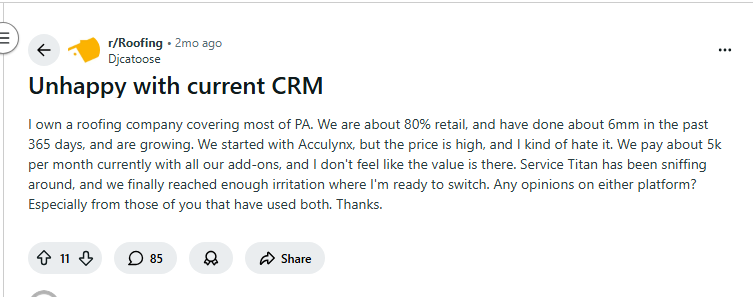
Here’s how you know it’s time to move on:
- You’re paying for features you never touch.
Every month, money goes out for tools your crew doesn’t even open. If you’re not using 80% of what you’re paying for, that’s not an investment. That’s waste.
- Your team spends more time fighting the platform than using it.
If training new hires feels like teaching a college course, your CRM has outstayed its welcome. The best tools should make your day smoother, not slower.
- Support tickets vanish into the void.
When you need help, you shouldn’t have to wait days for a response. A good CRM team has your back when it counts.
- Your reports look impressive but don’t help you close jobs.
Pretty charts mean nothing if they don’t turn into revenue. If your dashboard looks good but your phone isn’t ringing, that’s the wrong kind of “performance.”
The Real Risks (and How to Avoid a Messy Switch)
Here’s the thing about CRM transitions. It’s rarely the software that fails, it’s the setup.
Most of the horror stories you hear? Lost data, missed leads, frustrated teams. They don’t come from switching systems. They come from jumping in without a plan.
CRM projects have a failure rate between 20% and 70%, mostly due to poor user adoption. The top culprits? Data migration issues (30%), user adoption struggles (27%), and lack of integration (23%). Even manual data entry still trips up 17% of businesses.
That’s not a tech problem. That’s a preparation problem.
Let’s fix that.
1. Data loss: Back everything up before the move.
Your CRM is only as good as the data inside it. Before you switch, export everything—contacts, notes, deals, reports. Then double-check it. Twice. Losing client info is the fastest way to lose trust.
2. Downtime: Run both systems side by side during rollout.
Don’t rip the cord overnight. Keep your old CRM active while you test the new one. Let your team get comfortable. Then, once everyone’s confident, make the full jump.
3. Lead gaps: Keep your marketing flowing.
The worst time to go dark is during a CRM transition. Keep your campaigns running, and let the leads keep coming. Need ideas for how to stretch your ad spend while juggling the switch? Check out how to make the most of a small marketing budget.
4. Team confusion: Appoint one “CRM captain.”
Someone has to own the process. One point person who answers questions, coordinates training, and keeps everyone on track. The more you communicate, the smoother the ride.
Your Step-by-Step Plan for a Smooth CRM Transition
Switching CRMs feels big, like rewiring the whole operation while jobs are still coming in. But the truth is, with the right prep, it doesn’t have to cause chaos. The smartest contractors treat a CRM transition like a remodel, not a demolition. You keep what works, replace what doesn’t, and come out stronger.
Here’s your game plan for a smooth switch that keeps business running and your team confident.
Audit Your Data
Before you start clicking “export,” take a hard look at what’s actually in your system. How many leads are outdated? How many duplicates are clogging up your reports?
Cleaning this up now saves you massive headaches later. Think of it as laying a clean foundation before you move into a new house.
Pro tip: Delete what’s dead, merge what’s double, and organize the rest by customer type or project value. The cleaner your data, the faster your new CRM learns your workflow.
If you’re still comparing systems, check out the best CRMs for plumbers and contractors to see which tools actually play nice with real-world home service teams.
Pick Your New Platform (and Test It First)
Not every CRM speaks contractor. Some are built for sales reps in cubicles, not crews on rooftops. That’s why testing is key.
Start with a pilot team. Let them test quotes, job tracking, and communication tools inside the new system for a week or two. Their feedback will tell you if it’s ready for the whole company.
And if you’re leaning toward GoHighLevel, here’s where the transition gets easier. AstroAds.io and Proline have made moving to GHL almost effortless for contractors. Built specifically for trades, not tech nerds, they handle setup, automation, and integrations without breaking your stride.
3. Train Your Crew
Even the best CRM flops if your team doesn’t know how to use it. Don’t assume they’ll “figure it out.”
Make training part of your weekly rhythm. Hold short sessions where you walk through one feature at a time, like how to log jobs, assign tasks, or follow up on leads.
Encourage feedback. The folks in the field often spot what works and what doesn’t long before management does. A little patience upfront saves you from confusion later.
4. Go Live Gradually
You wouldn’t rewire a whole building without testing one circuit first. Same logic applies here.
Start small, maybe just your service department or your sales reps. Let them use the new CRM for a week or two while everyone else stays in the old system. Once the bugs are gone and the workflows make sense, roll it out across the company.
This phased approach builds confidence, not chaos. It also keeps leads and communication flowing while your team adjusts.
5. Monitor and Tweak
Once you’re live, don’t walk away. Monitor how data moves, how fast follow-ups happen, and how your team feels about the process.
You’ll catch small workflow issues early and fix them before they snowball. Within a few weeks, you’ll notice the shift, fewer mistakes, faster responses, and reports that actually tell you something useful.
How Hook Agency Keeps Your CRM Full After the Switch
Switching CRMs is only half the battle. A shiny new system does nothing if it sits empty. That’s where Hook Agency comes in. While you focus on running your crews, we make sure your CRM never runs dry.
We feed your CRM with leads, not empty promises.
- SEO that works: We optimize your site so local customers find you first.
- PPC that converts: Ads that actually bring in calls and booked jobs, not clicks.
- Content that closes: Every email, blog, and landing page crafted to move leads down the funnel.
No gaps, no lead droughts, just steady deal flow.
Here’s the truth: a new CRM is only as powerful as the leads you feed it. Hook Agency keeps your pipelines full, your schedules packed, and your team focused on what they do best: getting the jobs done.
Why Let Your CRM Sit Empty When You Can Turn It Into a Lead Machine?
Switching CRMs doesn’t have to be a headache. With the right plan, the right team, and smart marketing fueling your pipeline, your new system can actually make your business run smoother, faster, and smarter.
Hook Agency helps contractors like you keep leads flowing, jobs booked, and operations running without a hitch. Think of it as turning your CRM from a tool you tolerate into a system that actually works for you.
Want more tips to get the most out of your CRM and marketing? Explore our blog for guides, hacks, and strategies that help contractors win more jobs with less stress.